
To turn a list into a board
Using the bullet menu ↗
Using the menu bar ↗
You can turn any list into a kanban-style board or a board into a list.
You can have lists that contain boards and boards that contain lists.
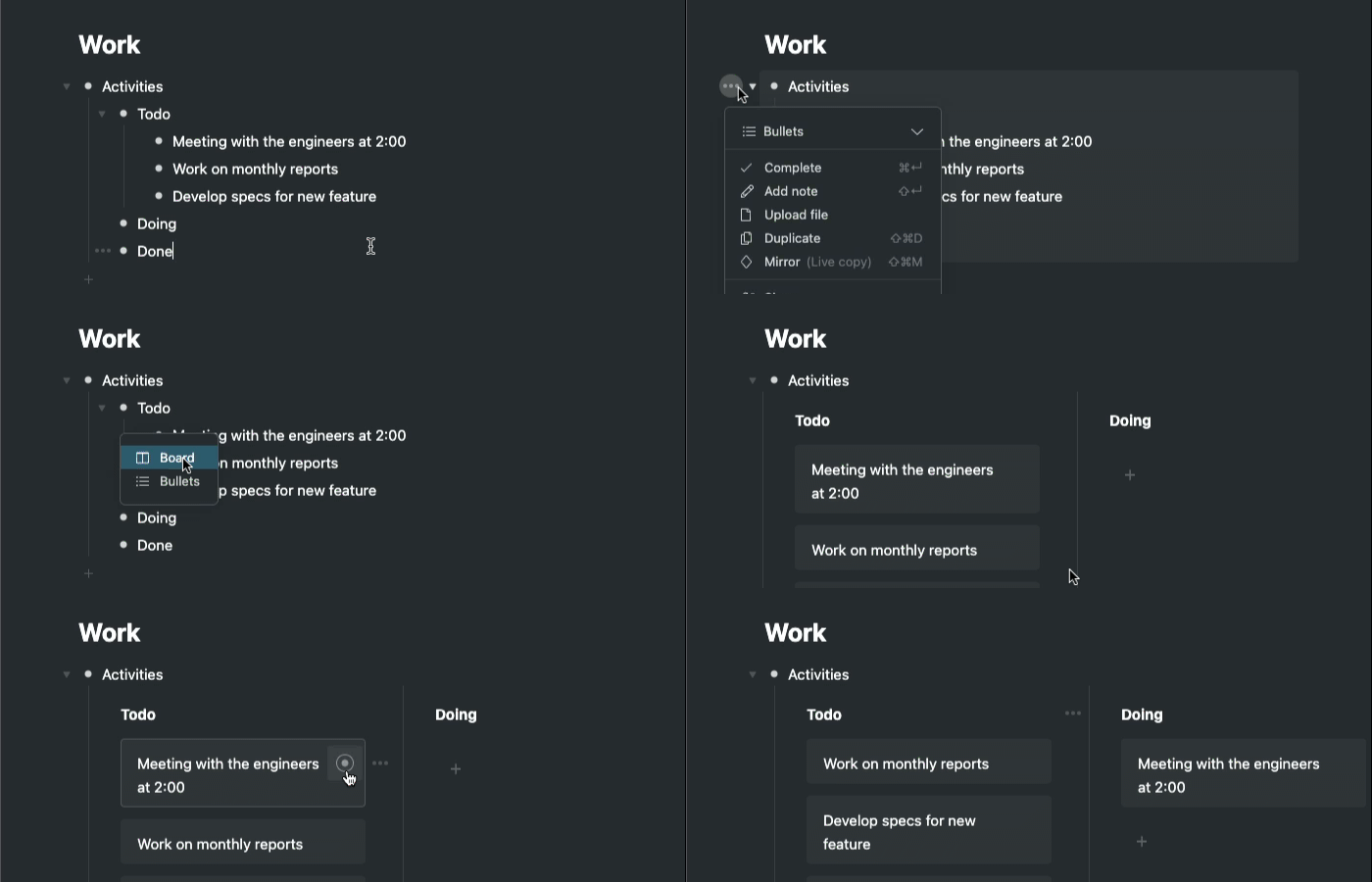
Using the bullet menu
- Open the bullet menu for the item you want to turn into a board
- Click on 'Bullets' in the bullet menu
- Click on 'Board'
- The main bullet will now be title of the board and the nested bullets will become columns
- Any bullets that are nested within those bullets will become cards within the board
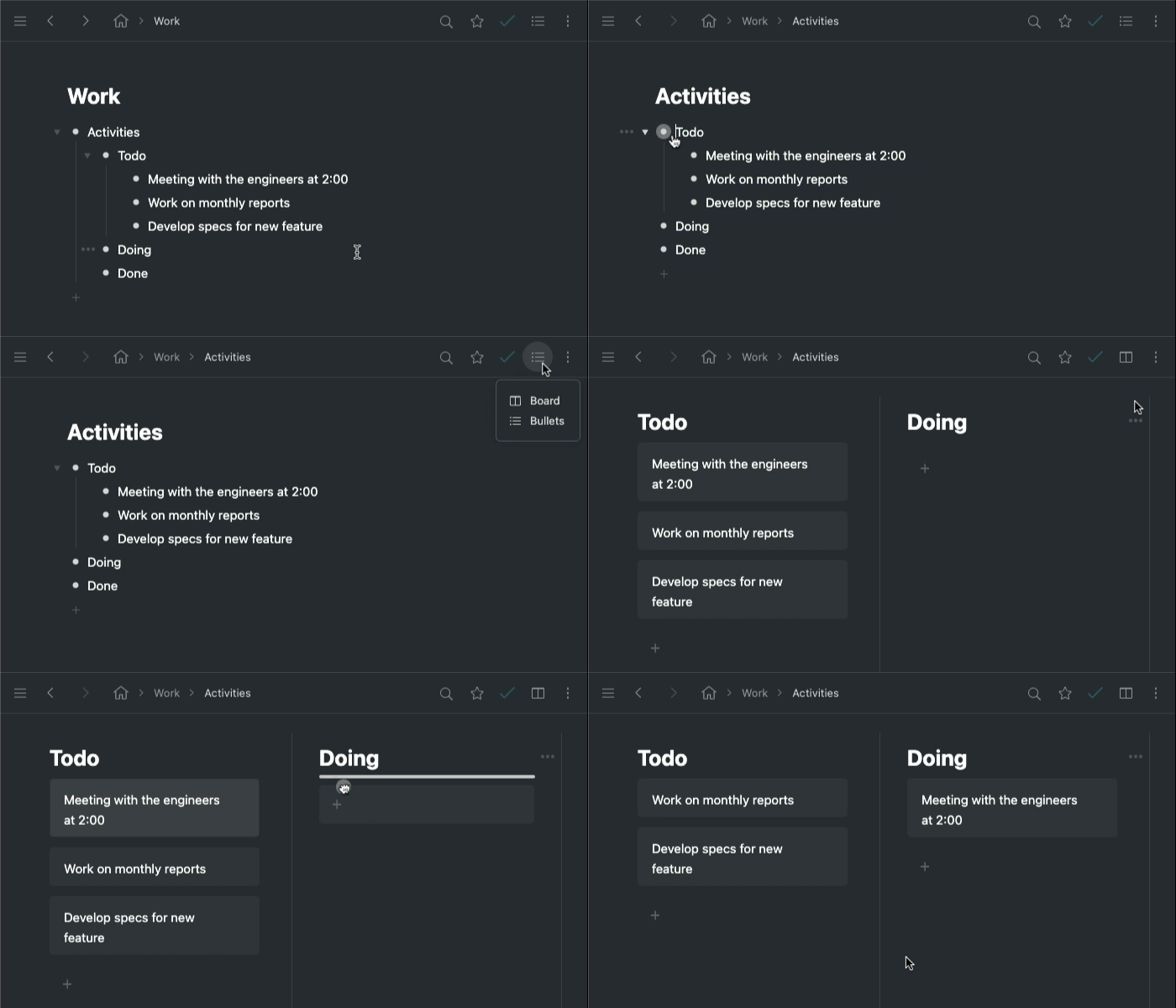
Using the menu bar
- Zoom into the section that you want to turn into a board
- Click the list icon in the menu bar
- Click on 'Board'
- The main bullet will now be title of the board and the nested bullets will become columns
- Any bullets that are nested within those bullets will become cards within the board
Comments
1 comment
I wish there was a shortcut key for this... anyone know how to toggle rapidly?
Please sign in to leave a comment.